
Linux Mint
NVIDIA
Install NVIDIA drivers with Linux Mint's Driver Manager.
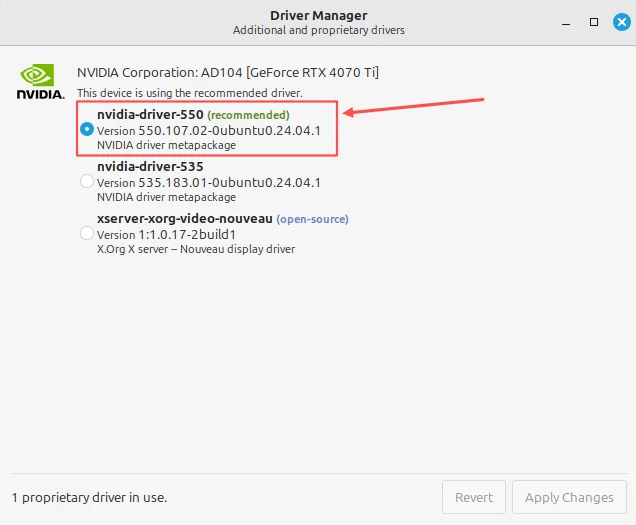
Driver Manager
Linux Mint includes Driver Manager to help you install drivers for your hardware, including supported NVIDIA graphics cards.
Install the driver
Connect to the internet, then follow these steps:
- Open Driver Manager
Open the menu, look under Administration, and choose Driver Manager. You can also search for it in the menu.
- Choose the recommended driver
Wait for the available drivers to appear, then select the NVIDIA driver marked recommended.
- Apply Changes
Click Apply Changes and enter your password if asked. Wait for the installation to finish.
- Restart your computer
Restart to start using the driver.
If Secure Boot asks you to enrol a key during the restart, follow the instructions shown to finish setting up the driver.
See Linux Mint’s hardware driver guide (opens in a new tab) for the official instructions.