
Desktop environments
 KDE Plasma
A familiar desktop with plenty of ways to make it your own.
What is KDE Plasma?
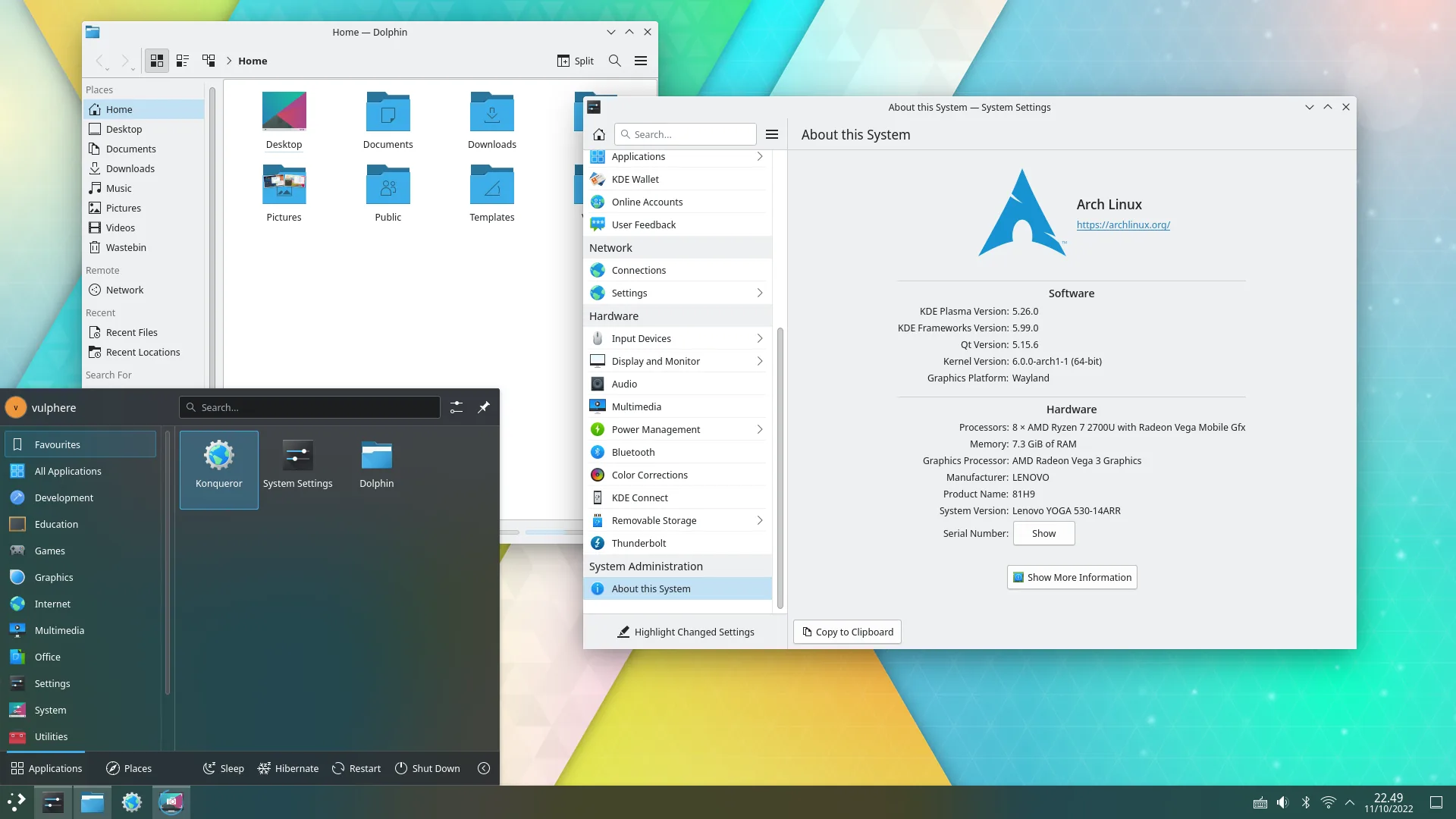
Plasma is a desktop environment made by the KDE community. Its app menu, taskbar and system tray may feel familiar if you’re coming from Windows.
You can use it as it comes, or change the layout, colours and behaviour to suit you.
Can you customise it?
You can move the taskbar, change themes and colours, and adjust how your windows behave through System Settings.
Widgets add things like clocks, weather or notes to your desktop or panel. You can start with the ones included and add more later.
Which distros use it?
Fedora has a KDE Plasma edition. Both openSUSE versions offer it, and Bazzite has a KDE option too.
Example distros that use it Fedora
 openSUSE Leap
 openSUSE Tumbleweed
 Bazzite
FedoraopenSUSE LeapopenSUSE TumbleweedBazziteChoose KDE Plasma if…
- You’d like a layout that feels familiar coming from Windows.
- You want plenty of ways to customise your desktop.
- You like having settings and tools close at hand.
There are plenty of settings to explore, but you don’t need to change them to get started.