
Desktop environments
 Cinnamon
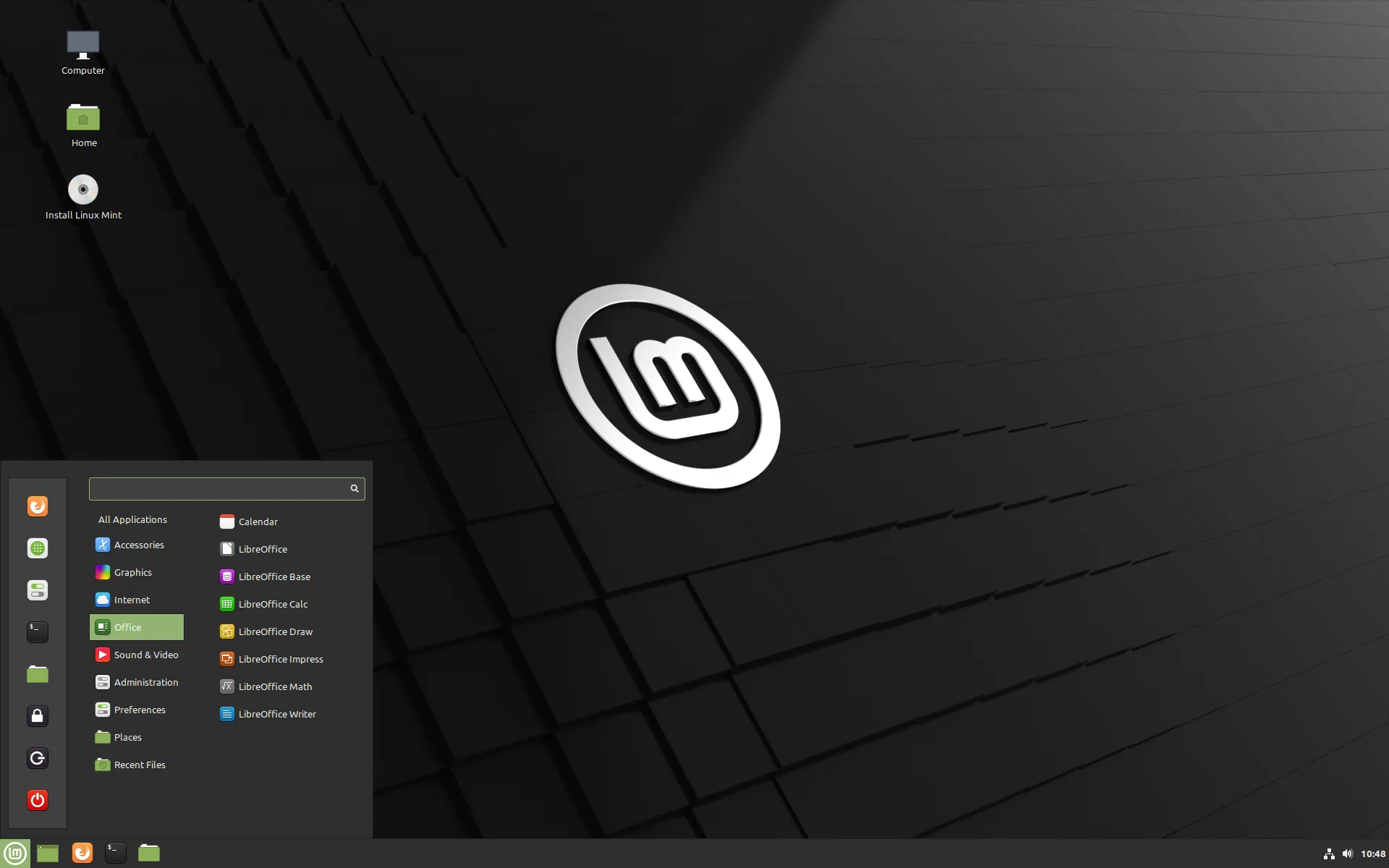
A familiar desktop with a menu, taskbar and straightforward settings.
What is Cinnamon?
Cinnamon is a desktop environment developed by the Linux Mint team. Its app menu, taskbar and system tray should feel familiar if you’re coming from Windows.
Can you customise it?
You can change themes, move the panel and add small extras called applets, such as a weather display beside your clock.
Cinnamon Spices is the official collection of themes and add-ons for changing how your desktop looks and works.
Browse Cinnamon Spices (opens in a new tab)
Which distros use it?
Linux Mint offers Cinnamon as its main desktop edition. Linux Mint Debian Edition (LMDE) uses it too.
Ubuntu Cinnamon (opens in a new tab) and the Fedora Cinnamon Spin (opens in a new tab) also come with it ready to use.
Example distros that use it Linux Mint
 Ubuntu
 Fedora
Linux MintUbuntuFedoraChoose Cinnamon if…
- You’d like a desktop that feels familiar coming from Windows.
- You want a straightforward menu and taskbar for everyday use.
- You’d like to change the look and add extras as you need them.